 ALL PROJECTS
 ALL PROJECTS
Designing for data-dense enterprise: Patterns from visualisation, trading and systems tools
7 min read • Content adapted to preserve privacy
Something for every use case
When you design internal apps for an enterprise, you’re solving for a vast majority of use cases, albeit for a smaller audience. The product surface area is huge: trading and analytics tools for a few specialists, large-scale data visualisation platforms used by many, infrastructure components like grids and component libraries that power everything, and systems used by teams across Human Capital, Admin and Tech.
This page is a glimpse into patterns I've learned while working on different categories of enterprise software. It's a collection of decisions: how to make complex data readable, how to keep trust high and clicks low, and how to design simple solutions for complex use cases and messy edge cases.
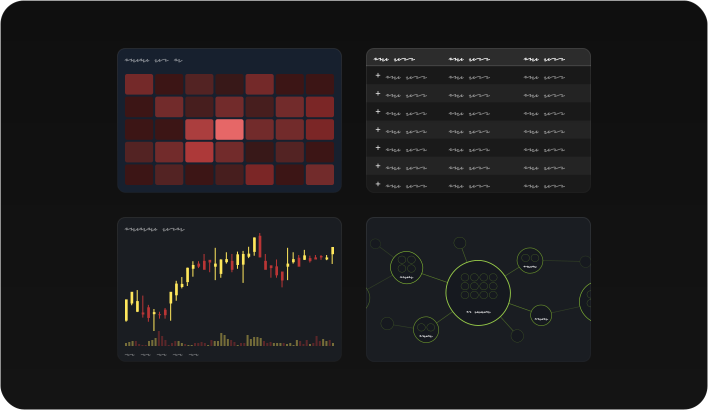
The following walks through four tools I've worked on, each representing a different slice of the enterprise landscape.
Nexus: Infra for Data Visualization
Nexus is the firm's internal data visualisation platform (think Tableau or PowerBI, but deeply tailored to internal use cases). It connects directly to internal team databases without privacy concerns, and specific user asks get incorporated quickly, creating a deeply integrated experience that market tools can't replicate.
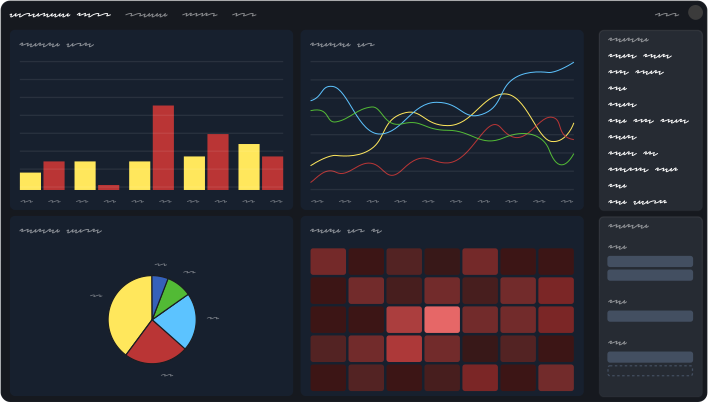
Users can connect multiple datasets and build detailed charts and tables. The customisation runs deep: formatting, analysis layers, widget resizing and dragging, advanced filtering, formulas, and full AI integration for understanding data and building visualisations. What sets it apart from market tools is native integration; Nexus can live inside other internal apps, seamlessly connecting to filters and other inputs in those apps, feeling like a part of the app itself rather than an embedded iframe.
I've been the sole designer on Nexus for over three years. In that time, I've shipped five major features and dozens of smaller initiatives, collaborating with the PM and developers at every step.
The Process
For each requirement, I start by meeting users across teams to understand their pain points. Then comes secondary research involving PowerBI, Tableau, Excel, Looker Studio and more, to see how the industry approaches the problem. From there, I create Figma and Cursor prototypes, test them with users, iterate and test again.
Here's the thing: PowerBI, Excel, and Tableau all solve the same problems in such different ways that copy-pasting becomes an ultimate recipe for disaster. I need to understand the philosophy behind each approach, then figure out what works for Nexus's own patterns and constraints.
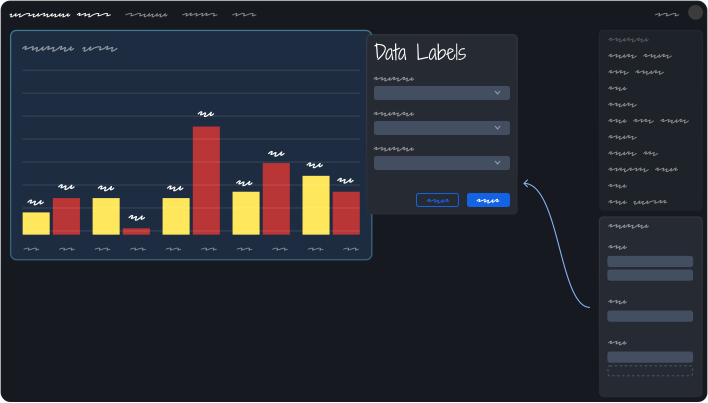
Taking formatting as an example; PowerBI opens long forms inline within a thin panel, using nested accordions. Space is cramped, and the form is far away from the widget you're trying to format. For Nexus, we moved to a draggable dialog-based approach that opens near the widget itself, giving more room and keeping context close.
AI for Data Insights and building Widgets
Adding AI meant unifying multiple entry points into a single, predictable experience. Whether you're asking questions about your data, generating a chart, or exploring insights, AI always opens in the same place, as a single chat that can pull context from multiple elements on the page.
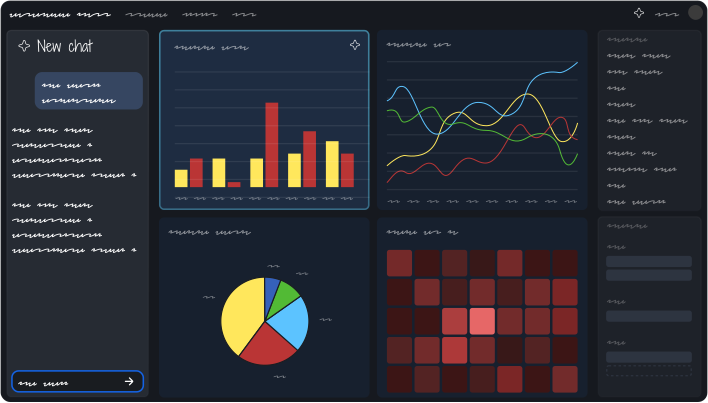
The challenge was making sure users don't have to think about which feature they're using. They just state the desired outcome, and the system intelligently helps out.
Smart Defaults and Progressive Disclosure
A side effect of features and personalisation is bloat and complexity- often requiring users to fill up long forms with complex parameters just to see the result. Nexus' philosophy is to leverage smart defaults to solve the use case in one or two clicks. A user clicks a checkbox for "data labels" and we add them with the best possible contextual settings. If they want more control, they can progressively disclose the full form in the dialog.
The goal is speed for the 80% case, and depth for the 20% who need it. Forcing everyone through the long path increases cognitive load.
Other major features I've shipped include mathematical formula support for complex equations, full formatting support for colours, tick marks, and data labels, complex analysis like regression and arithmetic accumulation, and better dataset management for multi-source dashboards. Smaller initiatives included revamping colour themes, migration to a newer tech stack, improving widget drag-and-drop, and easier onboarding for new users with clearer labels and tooltips.
Data Grid: Simple Looking, Deeply Complex
Data grids are at the core of an enterprise app. Ultimately, a majority of use cases involve how tons of data (which mostly used to reside in Excel) can be visualized in interactive tables, grouped intelligently and made easier to consume and analyze. Most of the time, users want to see as many rows as possible without having to scroll.
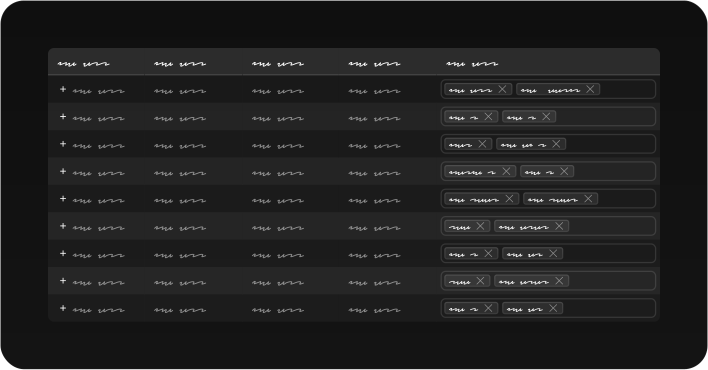
Grids are also deceptively hard. The first challenge: how do you make something as boring as a grid look good and minimal, so it doesn't come in the way of the data itself?
Edge Cases That Define the Product
The interesting work is in the edge cases. As an example, consider sorting data within nested hierarchies. If a column contains multiple hierarchy levels, how can one sort the first level ascending and the second level descending, just from the column header? The UI has to expose that control without cluttering the data or the column headers.
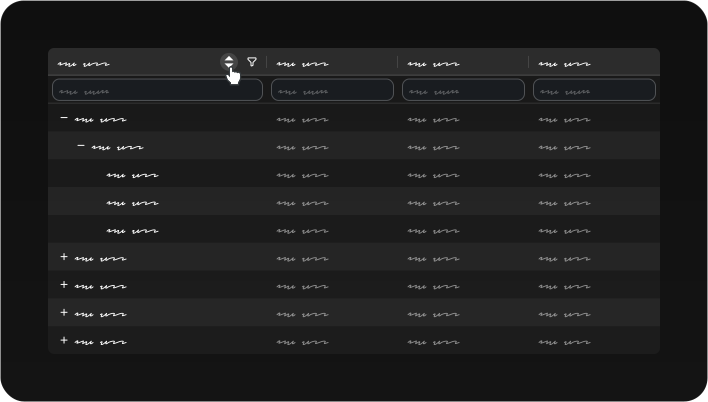
Live search is another interesting example. If I search for an entry in a column that's refreshing every second, I may have new matches appearing and old ones disappearing. How do I cycle through n/N results when both n and N are changing in real time? One possible solution is to pause live updates while searching, while giving a CTA to resume updates when done.
Secondary research includes places like AG Grid. The process is similar to Nexus: collate use cases from different teams, talk to users, ideate, and test prototypes. For grids, interactive prototypes matter more than static mocks since the solutions are about behaviour and interaction, not just appearance.
Trading Tools: Density Under Pressure
Trading tools require showing complex data within a single page, with clear information hierarchy and minimal clicks to enable fast workflows. I designed a tool to trade bonds, with a single page interface with multiple resizable panels. Each panel is packed with tables and charts, and each panel talks to the others. The data is connected: cross-filtering and highlighting the same data across widgets helps users compare and make split-second decisions.
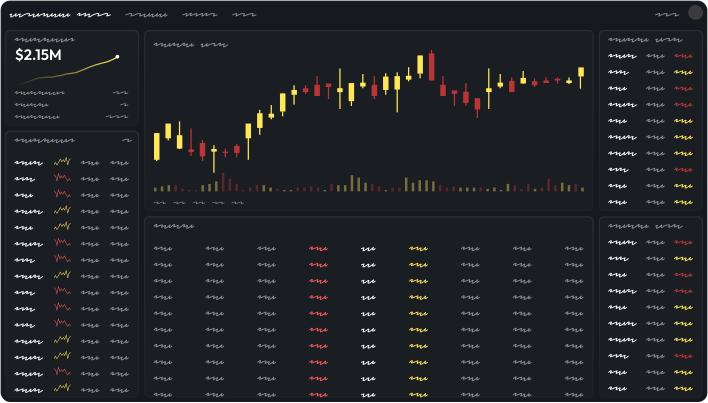
Apart from the overall layout, there are many design challenges lurking within, like determining how fills are shown, how row highlights are communicated across panels, and how charts are annotated without cluttering the view.
Before designing any of this, I had to build deep domain knowledge. What are bonds? What does VaR mean? What does the credit yield curve denote? Domain knowledge, both from the internet as well as from direct communication with stakeholders, helps understand the user psyche better while making stakeholder discussions more productive.
Traders don't have time for second guesses or to learn new interaction patterns. The interaction model has to be predictable; muscle memory matters when decisions are measured in seconds.
Systems Tools: Visualising Complexity
Not all enterprise tools are about trading. Some are about infrastructure- inventory management, user group administration, or visualising complex service networks.
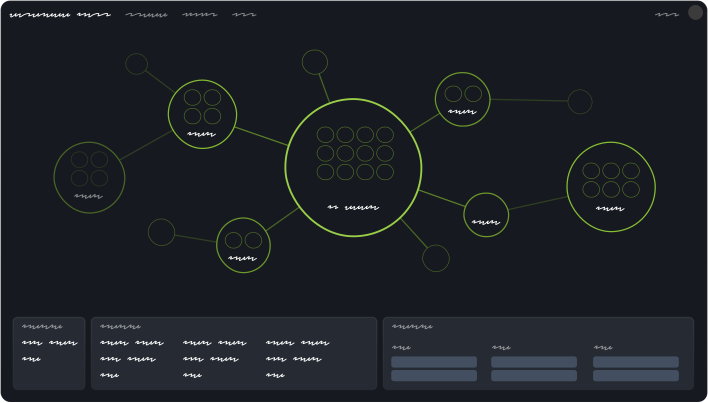
One project involved a tool for visualising service dependencies across the firm, with potentially thousands of nodes connected to each other. Users needed to triage problems by tracing dependencies back to find the root cause.
The Challenge
Each service can be thought of as a bubble, with many sub-services/processes in it as smaller bubbles. Each service connects to many other services (at the core, it's sub-services connected to other services' sub-services). The information is inherently dense and tangled. How do you make that understandable at a glance?
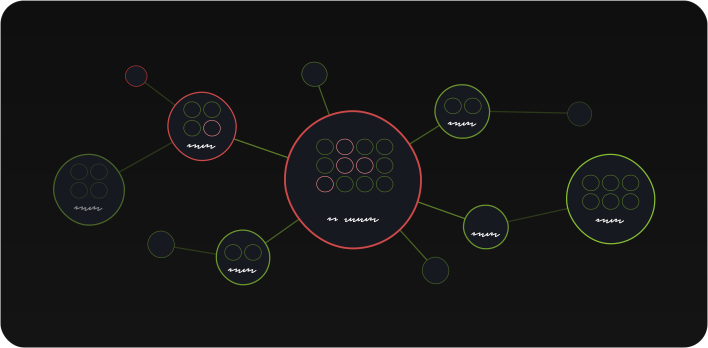
We needed clear visual hierarchy, robust alert indicators, and a description panel for the selected node. The visualisation had to scale from a handful of nodes to thousands without losing legibility. At each zoom level, we progressively disclosed more information, starting with just service health at the highest level, and drilling down to individual process metrics at the lowest level, keeping information understandable.
The Patterns That Recur
Across all these tools, certain patterns show up again and again:
- Smart defaults over blank slates: Starting with the most likely scenario as default reduces clicks and cognitive load. Let users refine if needed.
- Progressive disclosure over feature dumps: Show what matters, hide what doesn't.
- Predictable placement: Things should open where users expect. Spatial memory is a feature especially for high stakes tools with split second workflows.
- Interactive prototypes over static mocks: Especially for behaviour-heavy problems. A live search experience can't be evaluated with a static Figma frame.
- Domain knowledge: The most important one- To understand user psyche, we need to understand the user, what they do and what their workflows look like, to be able to solve their problems for them.
The Biggest Learnings
Enterprise design is systems design. The UI is only the visible layer; the real work is making the whole system coherent across products, teams, and years. With all these complex use cases and unprecedented edge cases, keeping it simple is the ultimate goal.


