 ALL PROJECTS
 ALL PROJECTS
Creating Axis: A high density, scalable and modern design system for a Hedge Fund
8 min read • Content adapted to preserve privacy
It works, until it doesn't.
After 8+ years of catering to extremely specific business use cases, the firm’s component library started showing its age. Bandaid solutions, one after the other, exposed enormous design and tech debt. Enter Axis, a modern take extending MUI. Built from the ground up, with themes, densities, dark mode and more.
The following is my journey of learnings and experiences as a sole (most of the time) designer working for Axis.
Who’s it for?
Everyone in the firm consumes a design system in some form. Traders and analysts like seeing lots of data, with split second decisions involving minimal clicks. Human Capital would want people management dashboards, while Systems would visualise inventories and services. Everyone would have common use cases like leave and ticket management, or specialised ones like creating visualisation dashboards or building workflows.
A hedge fund app can be a high density trading platform. It can also be a low density leave management app. And everything in between. How do you even design for that?
“I want to see more rows!”
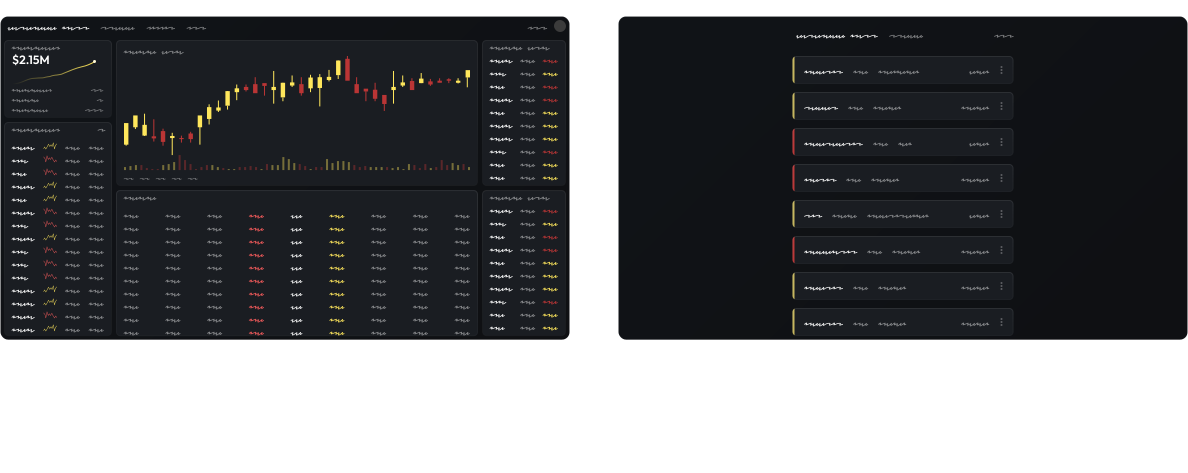
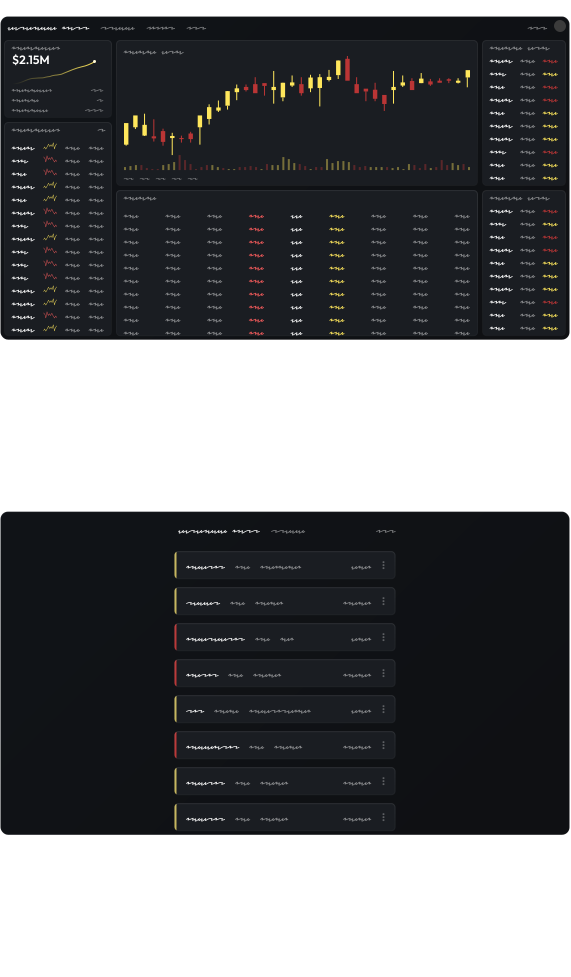
Visual density for a page, i.e. the amount of information it shows without scroll, can be controlled in two ways- having a density setting at the page level, or a size setting at the component level. We answer the question with a question; would I ever want small and large buttons on the same page? Not implausible.
Tokenizing spacers for page densities is important. Having sizes for components like buttons and inputs is equally important. The same trading dashboard can have a big button for sending orders while a smaller button deletes items.
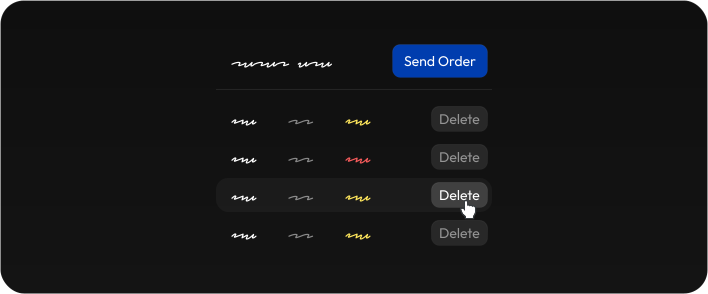
To help decide what the sizes could be, we see how things will be used together. Say a chip is in an input (like Autocomplete), and the input is in a data grid cell. Primary research tells us users love seeing many cells without scrolling; meaning we can simply define how big the cell is and everything comes together.
If the grid cell’s height is 30px, the input becomes 26px (26 - 4; leaving 1px on top and bottom for the cell’s border, and another 1px white space), and the chip becomes 22px (26 - 4). The buttons have to be the same as inputs (since they can be next to each other in forms). Add/subtract 4 to 8px to get large and small sizes.
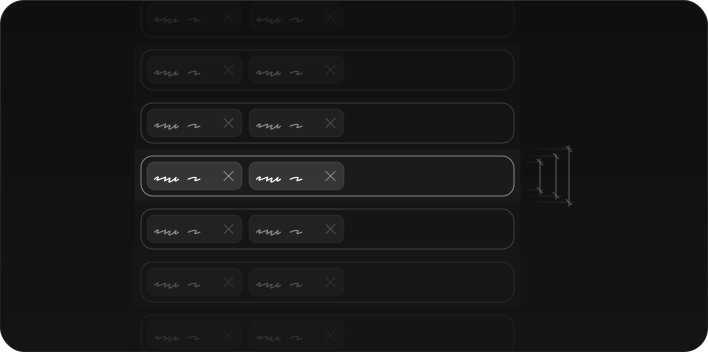
Once the basics are set, we move to the building blocks of the design system- the components themselves.
The Repeatable Building-Blocks
Components can be atomic (buttons, inputs), complex (navbar, multiselect hierarchical lists) and macro (a stock watchlist). They solve recurring use cases and bring consistency.
A straightforward use case of multi-selecting items in a tree uncovers so much more. What happens when I search for children within collapsed parents? Can I reorder list items between parents? How can I select a single item and submit with just one click? How can I lazily fetch huge lists? Can I add tags to items?
Here’s an interesting one - if I search for an item and select its parent’s checkbox, would all the children within that parent be selected, even the ones that weren’t in search results? If not, will my click give the checkbox an indeterminate state?
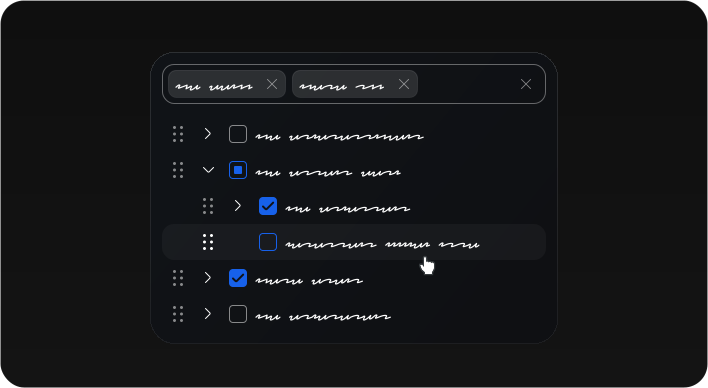
Secondary research helps us understand how other libraries (like MUI and Ant Design) solve similar probolems. We evaluate the variants (eg. button styles can be filled, outlined and more) and the sizes we'd need. Props are defined while evaluating what all application teams can customize, for corner cases even props can’t cover.
Power users love keyboard, making defining Tab cycles, arrow key behavior and shortcuts important.
Once developed, storybook examples are put up for app teams and developers to refer to.
Let’s add some Color
Color adds hierarchy, accessibility and functional cues. For the primary palette, we choose something that defines the brand well while avoiding functional colors like green, red and orange. Next we choose a secondary color that goes well with it. Lastly, we add some shades for light, main and dark.
Generating palettes algorithmically can be a challenge, simply because different hues behave differently. The best way I found was to take the HSL code, increment Lightness by 5-10 to get different shades, and tweak the saturation and lightness further to ensure the colors remain recognizable across the Hue spectrum.
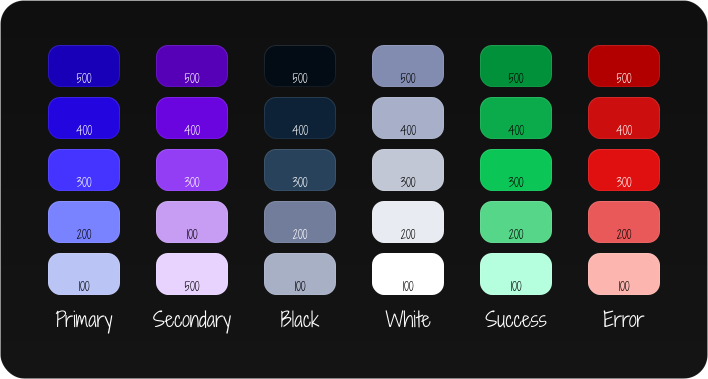
Products can have different branding by customizing the primary palette, while keeping functional palettes like error, warning and success consistent.
Everyone uses WCAG 2.0 for accessibility/contrast, but it’s far from perfect, failing spectacularly for certain hues. I found APCA much better, though it takes some time to get used to since it isn’t a simple Pass/Fail result.
Dark Mode: The King of ROI
A light palette in reverse ≠ a dark palette. Light palettes need more colors on the lighter side, while dark palettes need more colors on the darker spectrum. Dark mode colors also need more saturation to remain recognizable (blue should remain blue).
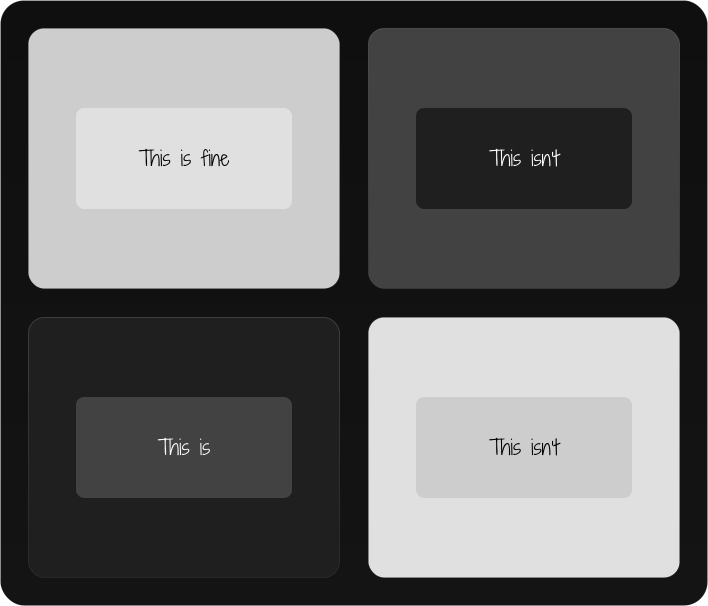
Solving background colors in dark mode is a fun challenge. Turns out, if there’s a white card on grey background in light mode, we perceive the card to be on top. However, simply inverting the colors to get a black card on grey background in dark mode gives the opposite feel; the card suddenly looks like it’s embedded in the page. Hence, grey and black backgrounds need to be swapped in dark mode (switch the phone settings page from light to dark mode to see it yourself)
“Little” Details
12px font size is the sweet spot for dense yet readable apps. Tokenized, of course, to proportionally increase in low density apps.
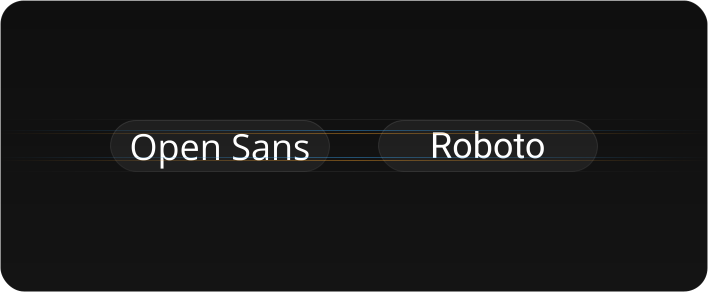
Ensure the typeface looks visually centered. We’d made everything with ‘Open Sans’, only to realise that it looks pushed slightly ‘downwards’, especially noticeable in small buttons and chips.
Modern UIs prefer higher border radii, but how high? In dense UIs, the biggest border radius the smallest components (like chips) can handle without looking like pills gives the answer. Ultimately it depends on the targeted look and feel. While many modern consumer apps have high border radii (6px or even 8px for buttons), many dense enteprise apps opt for 2px or 4px for optimised utilization of space.
Responsiveness as an afterthought will always increase work later. Traders use huge ultrawides, while someone can use an iPad or a phone, making breakpoints and touch targets important to address from the get go.
Research out there can’t seem to agree on standard touch target sizes. When it does, it’s too big for high density enterprise apps. Best is to just test it with users. Padding with negative margin remains a nifty trick to make touch targets bigger.
In Figma, should we create a separate touch library? To begin with, simply reusing small and medium sizes of existing components seems good enough.
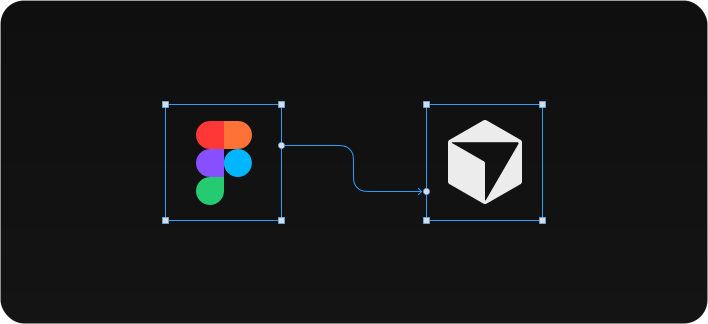
The Figma component library mimics the actual library with spacing, color and typography tokens across multiple themes, while the components mimic code structure, unlocking high quality Figma-Code Connect outputs using AI.
When to use what?
The next step is to bring parity with the old library in terms of use cases, with continuous feedback loops and iterations with different teams for ongoing improvements.
Now that the design system is in place, we need to tell everyone when to use what, best practices, usage patterns, what customisations are acceptable, and so on. All that lives in a pattern library.


